Pages

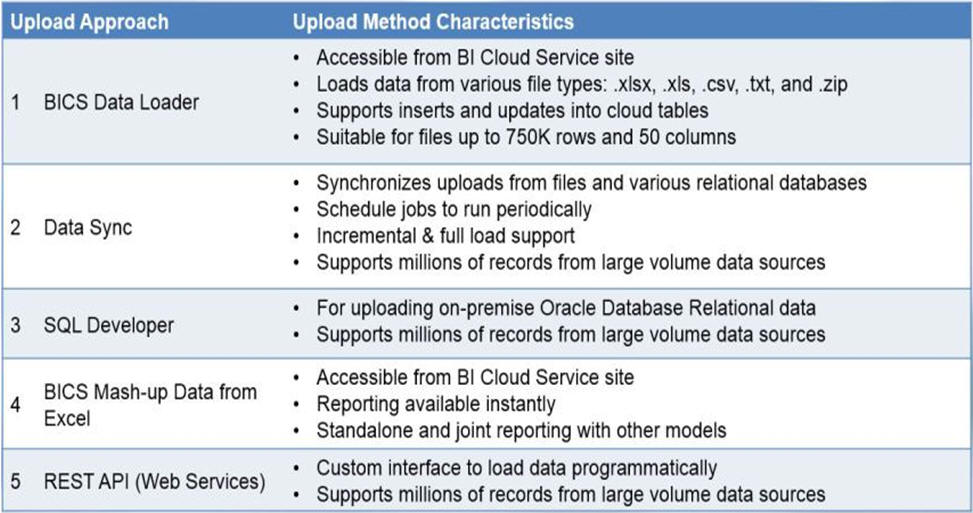
BICS Data Loading Using Data Sync Tool

Download Data Sync Tool Here

You need to download and configure the Data Sync tool, and create a repository.

and then login to repository.


Create a project


Create a new connection and give source details.


Click on TARGET and give BICS schema details.


Now Click on Projects Tab, 
To import data from relational db > click on Relational Data tab > click on Data from Table.

You will get below window.


Select the tables you need to load and click import.


You can see the imported tables in the same window.


Now click on Jobs tab. and you can see the job is created automatically.

just click on Run Job button.


your data will be loaded to BICS schema. the time duration is based on the volume of data.

Happy learning. :)


BICS Data Loading Using Data Sync Tool

Download Data Sync Tool Here

You need to download and configure the Data Sync tool, and create a repository.

and then login to repository.


Create a project


Create a new connection and give source details.


Click on TARGET and give BICS schema details.


Now Click on Projects Tab, 
To import data from relational db > click on Relational Data tab > click on Data from Table.

You will get below window.


Select the tables you need to load and click import.


You can see the imported tables in the same window.


Now click on Jobs tab. and you can see the job is created automatically.

just click on Run Job button.


your data will be loaded to BICS schema. the time duration is based on the volume of data.

Happy learning. :)


OBIEE Section Level Permissions


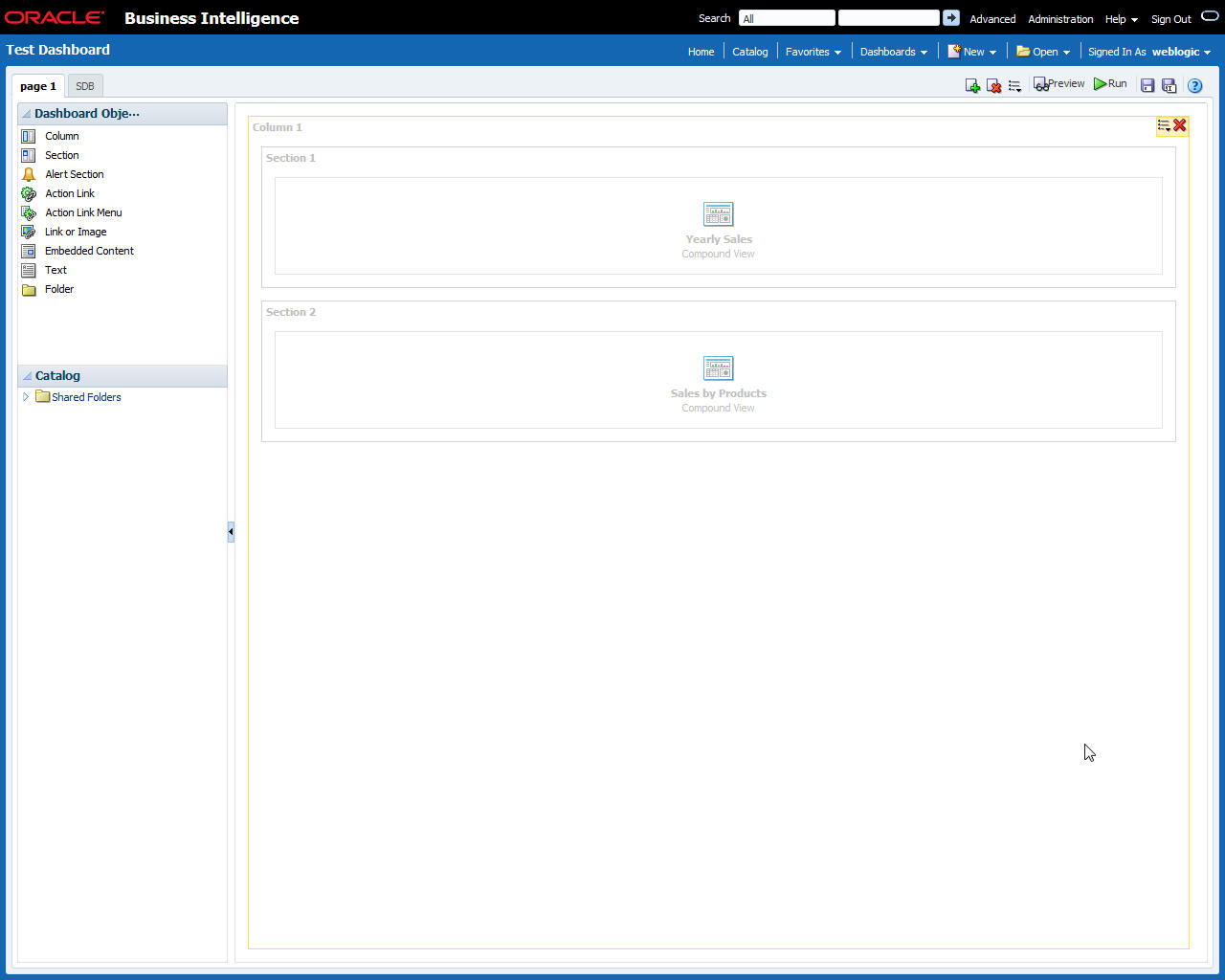
I have created two reports and placed those reports in Test Dashboard.

I have place both the reports in two different section as seen in the screenshot below.


From weblogic user if I run the dashboard, both the reports will run.
I can see that in Manage sessions section in Administration Tab.


Logs available in Manage Session section:


We can see, there are two reports ran for weblogic user.


Now, To achieve our scenario, for user Prasad,  I am giving section level permission, for second section (Sales by Products report) I am giving access denied.


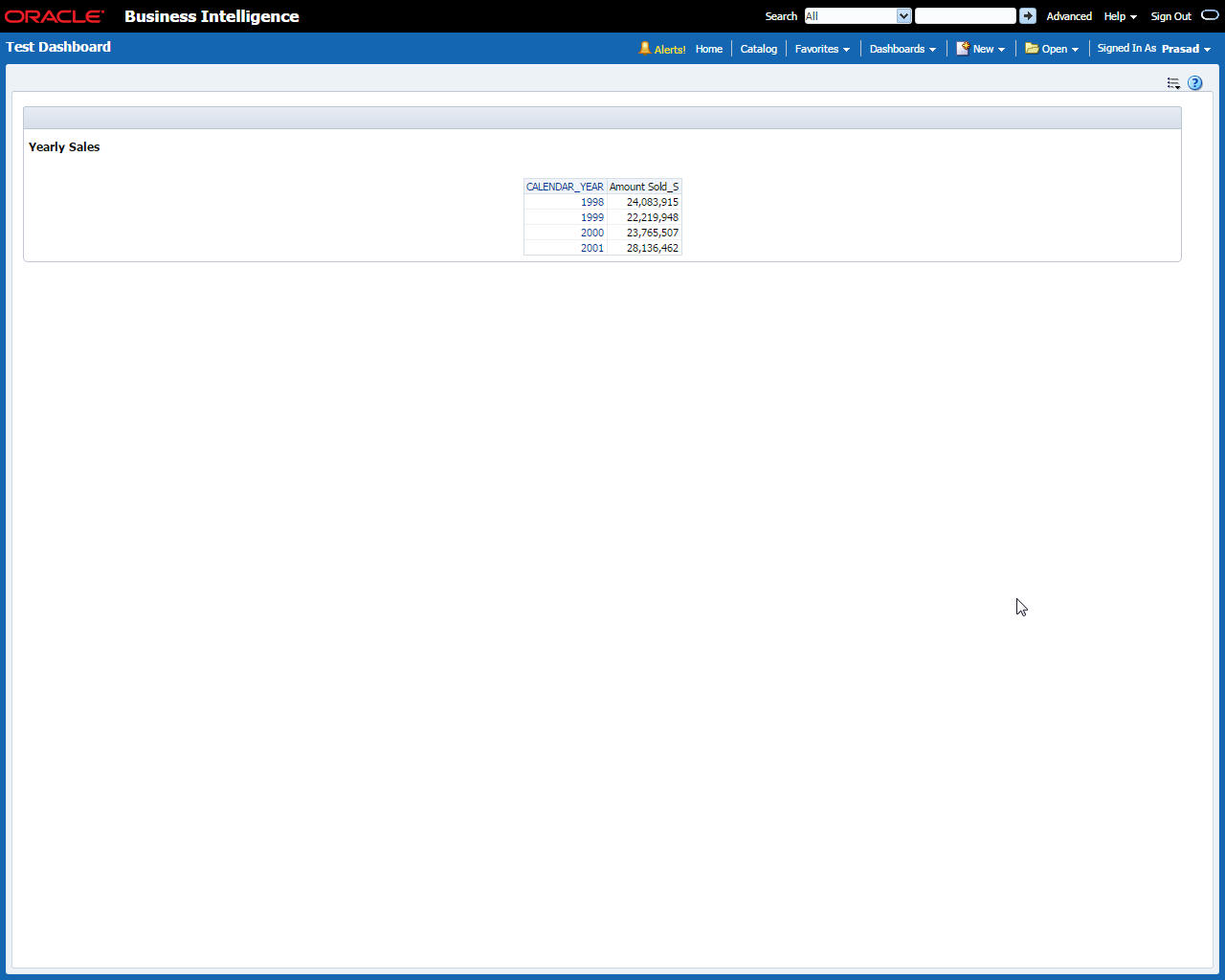
Now, I am logging in as user Prasad and I will run the Test Dashboard.


Now if we see the logs in Manage sessions section, we can see only one report hit the database.
other report didn't run at all.


If we have, multiple users, we can add those users to either catalog groups and customized roles and we can give permissions as per the requirement.

Happy Learning !!!!!!!


OBIEE Section Level Permissions


I have created two reports and placed those reports in Test Dashboard.

I have place both the reports in two different section as seen in the screenshot below.


From weblogic user if I run the dashboard, both the reports will run.
I can see that in Manage sessions section in Administration Tab.


Logs available in Manage Session section:


We can see, there are two reports ran for weblogic user.


Now, To achieve our scenario, for user Prasad,  I am giving section level permission, for second section (Sales by Products report) I am giving access denied.


Now, I am logging in as user Prasad and I will run the Test Dashboard.


Now if we see the logs in Manage sessions section, we can see only one report hit the database.
other report didn't run at all.


If we have, multiple users, we can add those users to either catalog groups and customized roles and we can give permissions as per the requirement.

Happy Learning !!!!!!!


Useful SQL Statement DBA Beginners

Statement for creating user in Oracle SQL Database:

SQL> create user username identified by password;

e.g : SQL> create user prasad identified by pras123;


Statement for giving permissions to Oracle SQL Database:

SQL> grant connect ,resource to username;


e.g : SQL> grant connect ,resource to prasad;

Statement for unlocking user account in Oracle SQL Database:

SQL>alter user username account UNLOCK;

e.g : SQL>alter user prasad account UNLOCK;


Useful SQL Statement DBA Beginners

Statement for creating user in Oracle SQL Database:

SQL> create user username identified by password;

e.g : SQL> create user prasad identified by pras123;


Statement for giving permissions to Oracle SQL Database:

SQL> grant connect ,resource to username;


e.g : SQL> grant connect ,resource to prasad;

Statement for unlocking user account in Oracle SQL Database:

SQL>alter user username account UNLOCK;

e.g : SQL>alter user prasad account UNLOCK;


Tricky OBIEE Interview Question

One of the beautiful question I have faced in one of the Interview.

There are 2 reports in the dashboard, and there is a user called 'Prasad', if he logins to analytics and run that dashboard, the dashboard should run only one report, means only one report hit the dashboard, other report should not run, how you will achieve this scenario.

Tricky OBIEE Interview Question

One of the beautiful question I have faced in one of the Interview.

There are 2 reports in the dashboard, and there is a user called 'Prasad', if he logins to analytics and run that dashboard, the dashboard should run only one report, means only one report hit the dashboard, other report should not run, how you will achieve this scenario.

Featured post

Snowflake - Creating warehouse in Snowflake

Creating warehouse Login to Snowflake and click on warehouse and click on Create fill the necessary details and click Finish We can also c...